
Listing Agent Portfolio Template
Pre-listing Portfolio

Rheyal Abalos
Last Update 6 months ago
Majority of real estate agents will just arrive at a listing appointment to conduct the presentation. Good agents will follow up after the presentation. Well coached top producers do pre-listing packages that are delivered to the seller home prior to the appointment. Many don't do this because it takes time/effort/money to invest into an appointment that might not always come out with a win.
Kaydoh Portfolio provides an opportunity to easily create a pre-listing package portfolio template to be used multiple times at ease.
Below are the assets that can be copied and used for your own purpose and branding
PREREQUISITE
- Learn the basics of building out a portfolio, go here.
- Review this LIVE example here: Pre Listing Portfolio Website
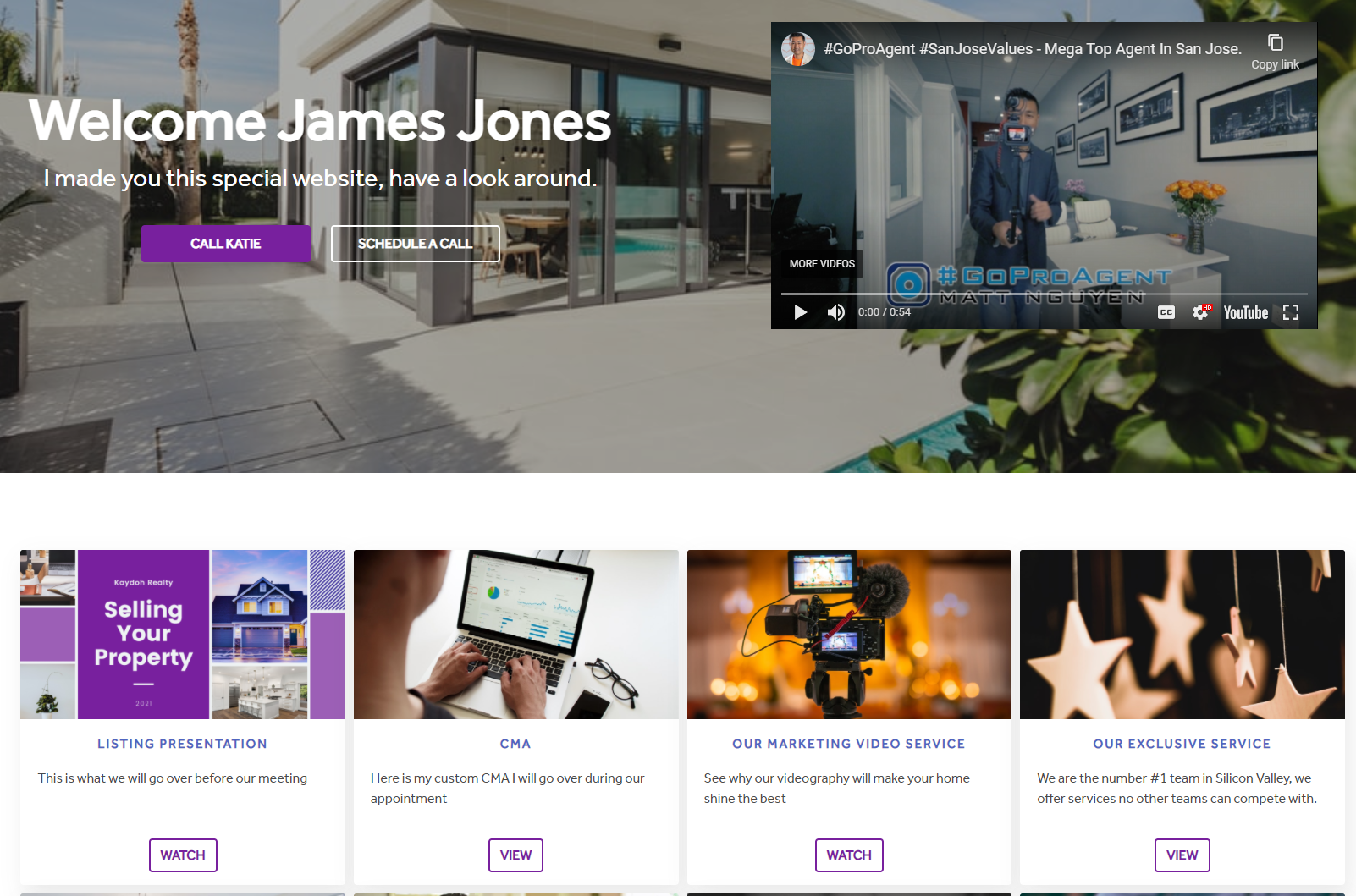
HEADING
Provide a welcome message to the homeowner. It's recommended to put the homeowner full name in the heading, like the example displayed above, "Welcome James Jones"
SUB-HEADING
Add a custom message to the homeowner. "I made you this special website, have a look around."
VIDEO
This is where you'll want to provide a personalized video message that is uploaded on YouTube. The message should speak to the homeowner, express your excitement for the opportunity to work with the homeowner as well as letting the homeowner(s) get a hold of some of your marketing sample/plans ahead of appointment. Copy the URL link and paste it .
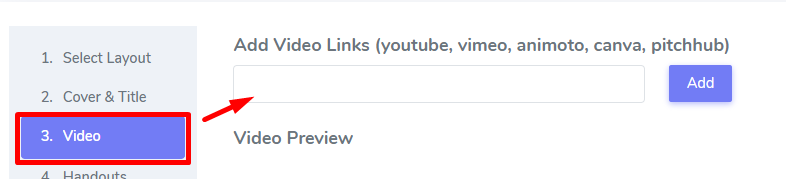
Note: When uploading personalized videos on YouTube, you can control the visibility settings to "Unlisted" to prevent people find this video from your channel or on YouTube search results. Go here to learn how to upload a video to be "Unlisted".
1 - HANDOUT: LISTING PRESENTATION
This should contain your listing presentation or your marketing plan. The handout can be a digital PDF, Powerpoint, Video, or external link going to your presentation. Below is the exact template used to build a standard Listing Presentation document using Canva
Please go here to download the Listing Presentation Template and follow instructions how to add it back into Kaydoh.

2 — HANDOUT: CMA
This handout should contain your home analysis of the property. Make sure to remove the projected selling price — this should be revealed during the actual presentation, not before.
To add your CMA:
- Create your CMA from your MLS platform and save it as a PDF
- Upload the PDF directly as a file content tile in this handout position
💡 Kaydoh does not generate CMAs. Your CMA must be created outside of Kaydoh first. See: How to add a file as Content Tile.
3 - HANDOUT: OUR MARKETING VIDEO SERVICE
Provide here a video sample of past video you've done for your clients. Showcasing the high quality videography you offer. This should be a VIMEO or YouTube external link.
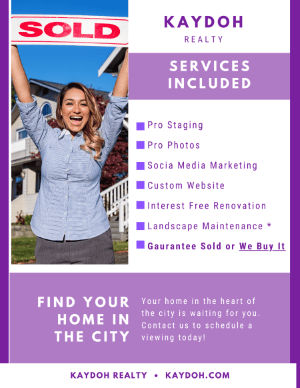
4 - HANDOUT: OUR EXCLUSIVE SERVICE
Use this template to magnify and list out all of the things you provide as part of the your listing service.
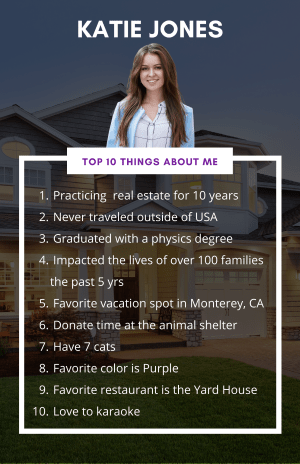
5 - HANDOUT: TOP 10 Things About Me
A great way to let the homeowner get to know you better and a fun way to do it. List out things people may find interesting or facts about you that many don't know about.
Click here to download this template to your Canva account.
6 - HANDOUT: CLIENT TESTIMONIALS
The best way to showcase credibility is to show a client testimonial video. Video should be on YouTube. If no video is available, then create a PDF client testimonial document. Highlight your best testimonial that showcases your authority, performance and trustworthiness.

7 - HANDOUT: LISTING AGREEMENT CONTRACT
Attach a sample copy of your listing agreement in this handout. This helps the homeowner get an idea what is expected and that you'll be ready to get to work once an agreement is in place.
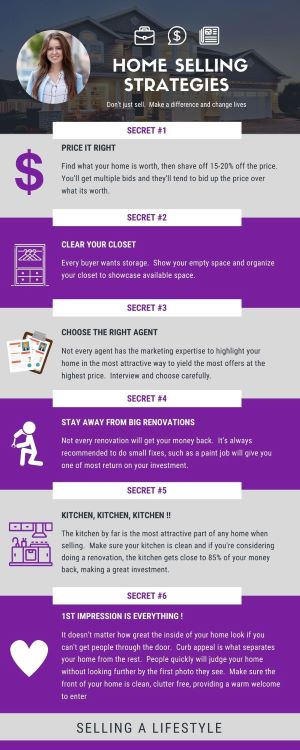
8 - HANDOUT: OUR SECRET SELLING STRATEGY
This document contains a standard list strategy to selling a home. Modify it toward your market and add your expertise to the document.
Click here to download this template to your Canva account.
Pro Tip: Lock this content tile to pre-qualify sellers
Consider locking the Secret Selling Strategy handout so sellers must fill out a short form to access it. This tells you how engaged they are before you even walk in the door — and captures additional information about what they're looking for in a listing agent.
See: How to lock a content tile
Internal tags:
- How can I create a listing agent portfolio template?
- What are the steps to design a listing agent portfolio template?
- How do I set up a portfolio template for a listing agent?